
Run an SEO audit with Codex: a complete example on rosoai.fr
You can ask AI to audit your site. The next question is what to do with its answer? Here is a real example of the SEO/GEO Kit used in Codex on rosoai.fr on September 17, 2026. I’ll show you the initial request, the documents produced and how to turn a recommendation into a specific task.
1. Prepare the kit and the site to analyze
The SEO/GEO Kit contains the squad files and its installation guide. It runs on a computer with Claude Code or Codex. Access to the AI tool is separate from purchasing the kit and subject to the provider’s terms and limits.
To follow this process in Codex, use the kit’s guide, then open the prepared folder as a project. The idea is to work with the squad files available in that folder. The official OpenAI documentation explains how to choose a project or folder and start a task in Codex.
Next, prepare the site address, the offer you want to prioritize and the data you agree to provide. Reading public pages lets you examine their content and presentation. To analyze Google clicks or sales, you need additional data. A public page does not provide access to those figures.
Start with an analysis task. Ask for recommendations and supporting evidence before approving changes to your site.
2. Set a specific business goal
In this example, the goal was to sell my SEO/GEO agents kit. This changes the questions to examine: does the page explain what the buyer receives? Are the requirements easy to find? Can the visitor see an example before deciding?
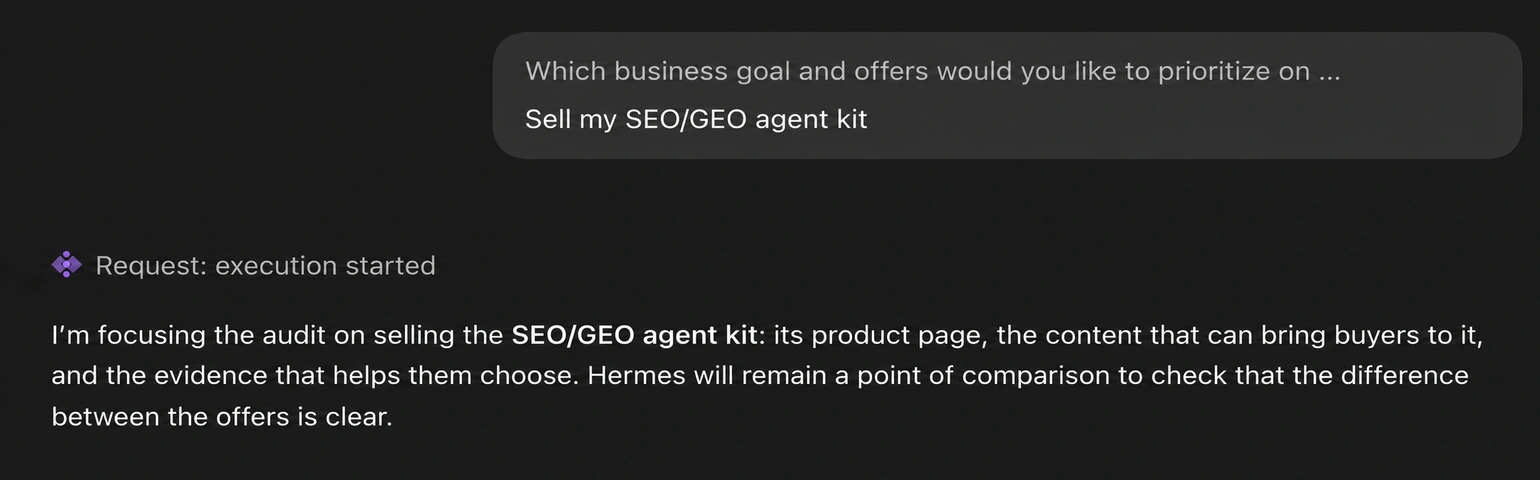
For your own site, name one offer and one expected action. For example: receiving quote requests for a specific service. This context helps sort recommendations by their usefulness to your business.
Keep the scope explicit too. If a page or wording must stay unchanged, say so. A recommendation in a report does not replace your decision.
3. Look at what the audit actually covered
The output of this run reports 28 pages explored and five actions. The priorities included clarifying the promise, bringing requirements closer to the price, showing a first audit and measuring purchases.
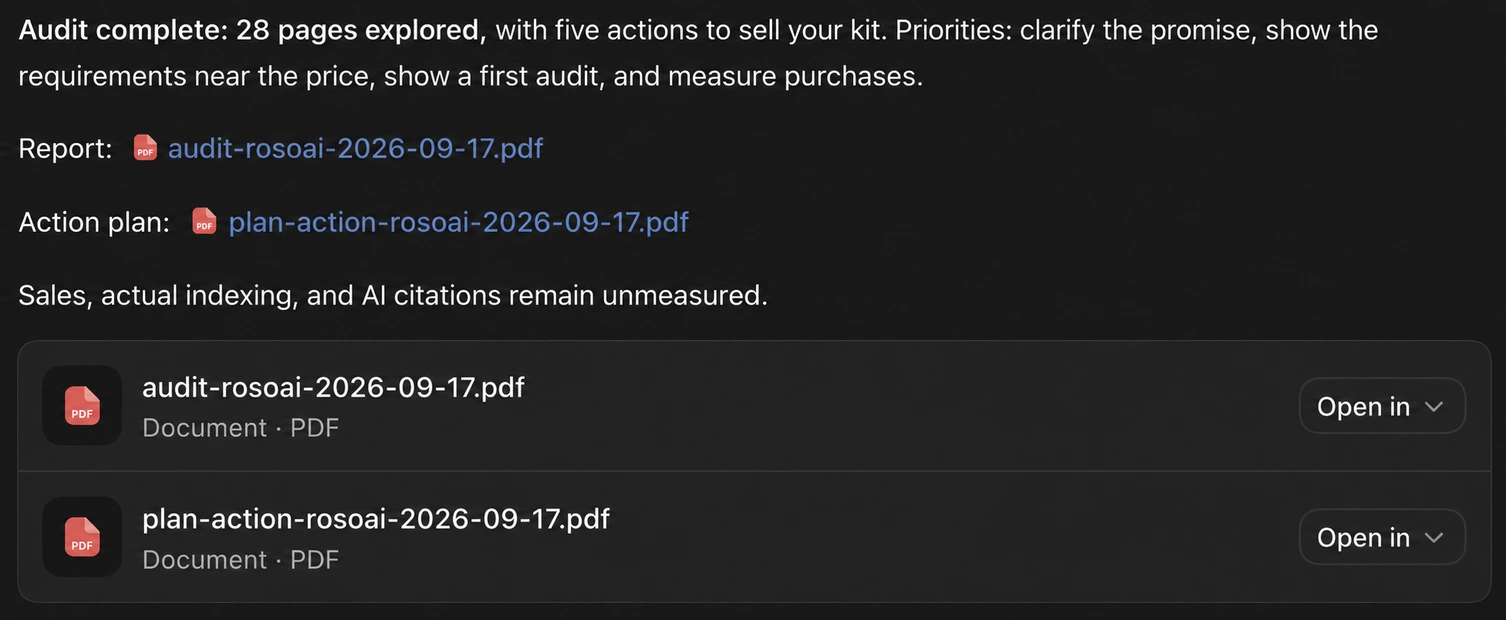
These numbers describe this case. The number of accessible pages and depth of analysis depend on the site, scope and available access.
Also read what the report does not measure. Here, sales, actual indexing and citations in AI answers remain unmeasured. The audit provides areas to work on; it does not demonstrate business growth.
4. Connect each recommendation to an observation
One finding concerns the kit’s requirements. In the version examined, details about Claude Code or Codex, the computer and possible costs were in the FAQ. The report suggested making them visible earlier in the buying journey.
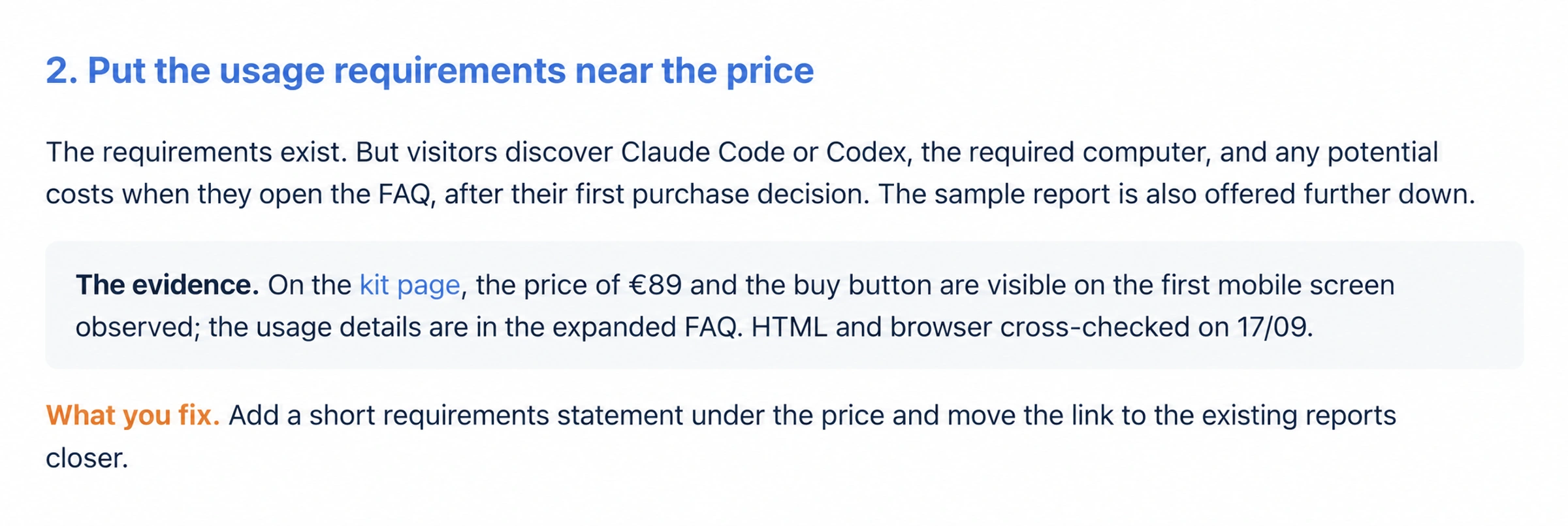
This is a recommendation you can discuss and check. It identifies where the information is and why its placement deserves attention. On its own, it does not prove that the placement caused lost sales.
Before choosing an action, find the page concerned, the dated evidence and the expected outcome. If the page has changed since the audit, check it again. This helps avoid fixing a problem already resolved or an observation that is out of date.
5. Open the diagnostic report and action plan
The two documents serve different stages. The diagnostic report explains the observations. The action plan organizes the proposed fixes and checks to perform.
- Read the rosoai.fr diagnostic report from September 17, 2026 (PDF).
- Read the accompanying action plan (PDF).
You can start with a single fix. Note its goal, prepare the change, review it on desktop and mobile, then check that links and the purchase flow still work. Keep the previous version so you can roll back.
If an action targets sales, plan how to observe them too. Clearer wording is an editorial improvement; its effect on purchases must then be measured.
6. Prepare GEO measurement and follow-up
The plan also includes suggested questions to test the offer’s visibility in AI tools. These are questions for a test protocol, not citations already obtained. The conversation producing the audit is not an independent visibility test.
To monitor this visibility, keep the questions, dates, tools and answers. Distinguish a brand mention, an offer recommendation and a link to your site. The guide to measuring visibility in AI answers explains this method.
After the first fixes, you can run a focused audit again. If you need regular checks and analysis in Discord, look at your personal SEO agent. The kit vs. agent comparison explains the difference.
Run an audit on your own site
The SEO/GEO Kit brings together 21 specialized agents, eight task modes and a guide for working in Claude Code or Codex. Its page explains the contents, requirements and price.
Explore the SEO/GEO Kit